Watch with Danmaku on YouTube
This ONLY works on desktop and needs a 1 time setup.
What you need
- A Chromium-based browser (Chrome, Edge, Brave, Arc, etc.)
- This browser extension: Danmaku Anywhere (some other potential options listed at the bottom of this page)
- A danmaku XML file, you can download this from any Day page, near the top.
Step-by-step (Danmaku Anywhere)
- 1Install Danmaku Anywhere from the Chrome Web Store.
- 2Download a danmaku XML filefrom one of the Day pages on this site. Pick “Chinese XML” for the original or “English XML” for the translated version.
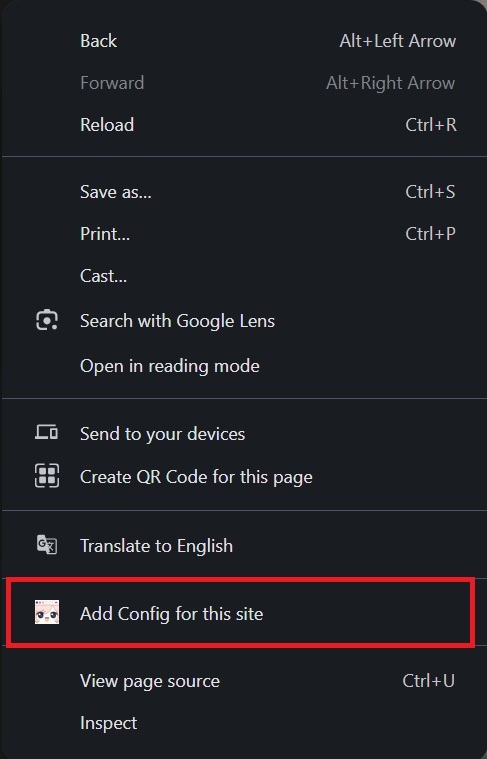
- 3Enable on YouTube — open any YouTube video, right-click an empty space on the page, and select “Add Config for this site”. You only need to do this once.
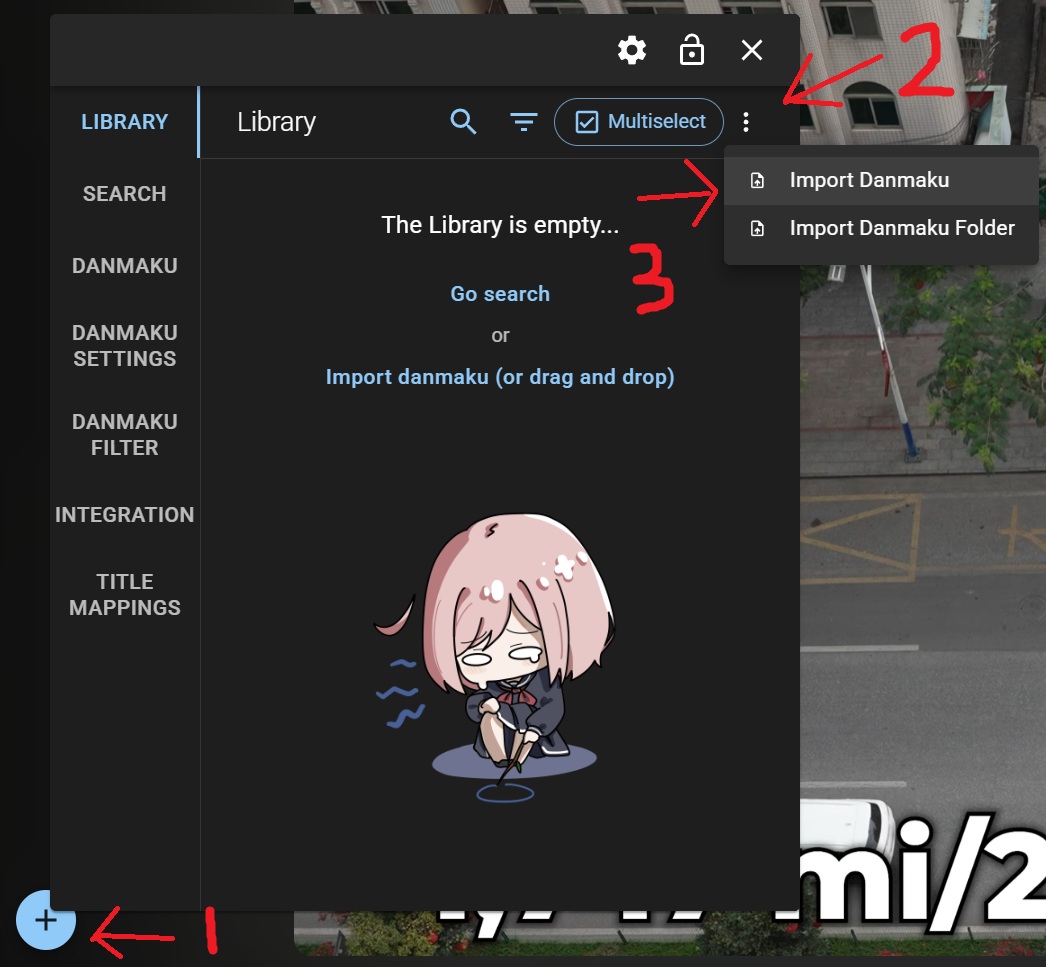
- 4The page will reload. Click the + icon that appears in the bottom-left corner of the page to open the Danmaku Anywhere panel.
- 5Import the XML file — in the panel, click the three-dot menu (⋮) next to the search bar, then select “Import Danmaku”. Choose the .xml file you downloaded.
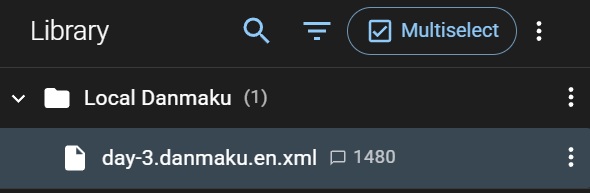
- 6The file will appear under “Local Danmaku” in the library. Click it to load it onto the video.
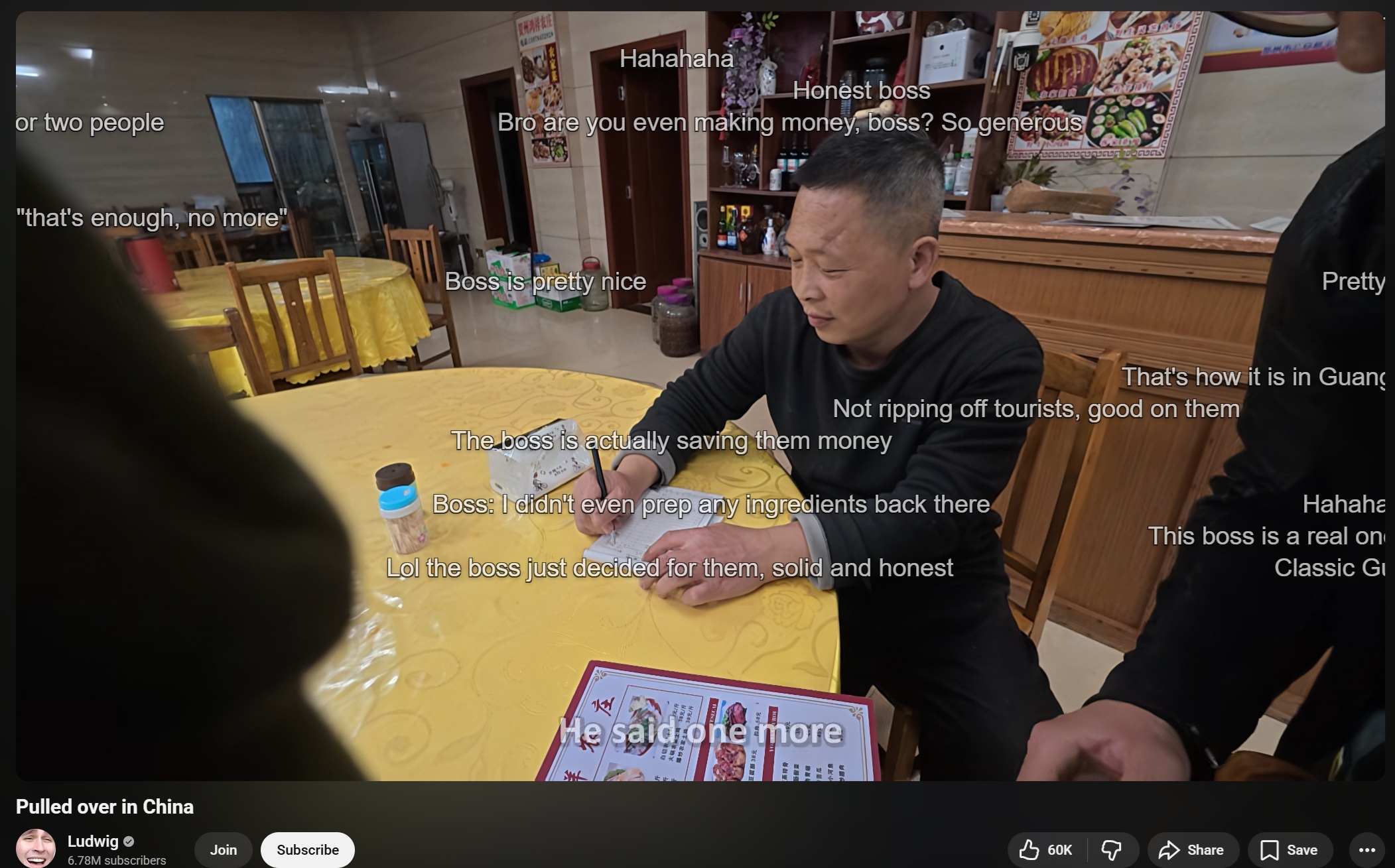
- 7Play the video — danmaku should scroll across the screen
Notes
- The merged XML files combine danmaku from all source videos in a category, so timing may not align perfectly with a single YouTube upload. (you can adjust timing offset in Danmaku Anywhere settings)
- If the YouTube video is modified (e.g. segments removed/added), this can also affect the timing of the danmaku.
- You can also adjust opacity, font size, speed, and density in the Danmaku Anywhere settings.
- The XML files use standard Bilibili danmaku format, so any tool that supports Bilibili .xml files should work.
Other extensions
These may also work but the steps above are specific to Danmaku Anywhere.
- Danmaku Mini Player — PiP player with .xml import support (but I couldn't get it to load the danmaku)
- Dmooji — does not support importing danmaku (?), but allows you to send danmaku to YouTube (requires login)